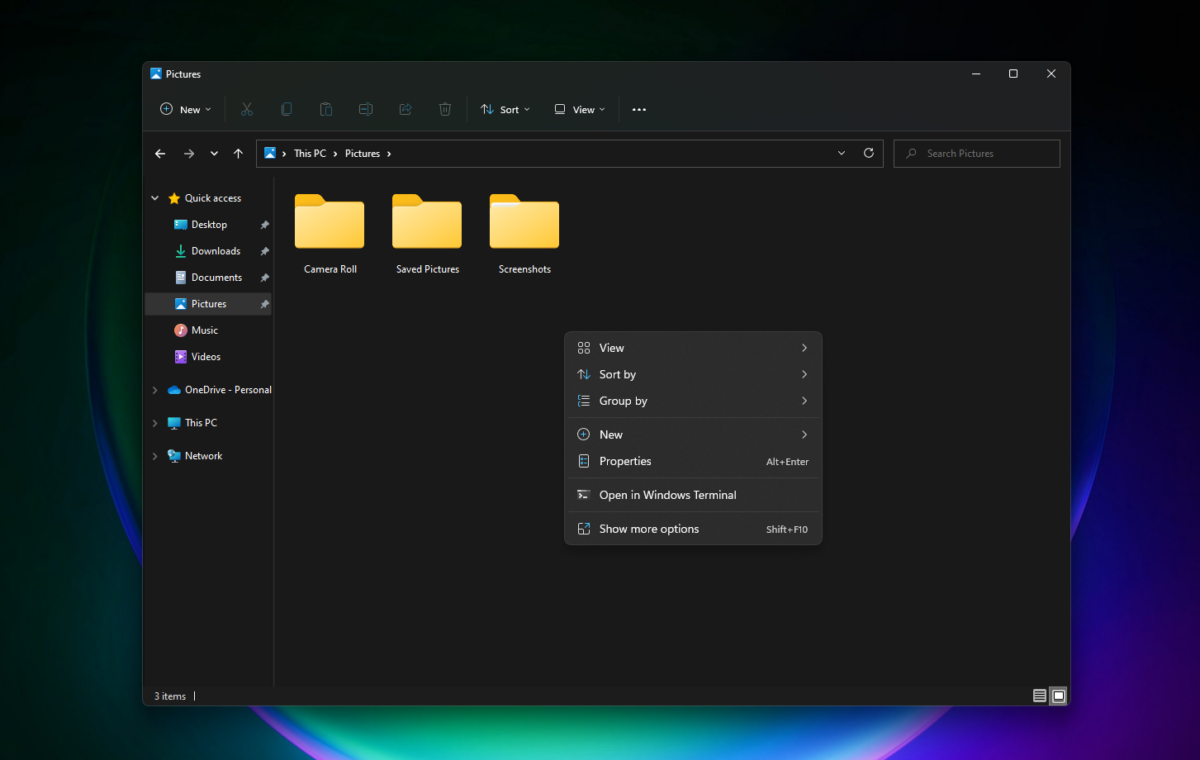
According to information provided to Windows Central, Microsoft is developing a new, more compact version of the context menu (i.e., the right-click menu) in Windows 11, which should be faster to use.
The current menu can be slow because both Microsoft’s own apps and third-party programs can add their own actions and options to the menu, cluttering it up. The new design will prioritize the most frequently used functions and avoid loading all extensions at all times.
Microsoft is also working on a new customization feature that will allow users to choose which apps and commands appear in the context menu. They can show or hide specific actions and apps, and change the order in which these actions and apps are displayed in the context menu.
According to Windows Central, the menu at the very bottom will also get a new option called “Customize,” which allows you to change the menu options and settings at any time.
It’s still unclear when this feature will be introduced and rolled out to all users, but Windows Central says the update could be released as early as this year. It’s part of Microsoft’s plan to make Windows 11 faster and better, which will also include a significant redesign of the user interface to be based on WinUI 3 and no longer on legacy code.