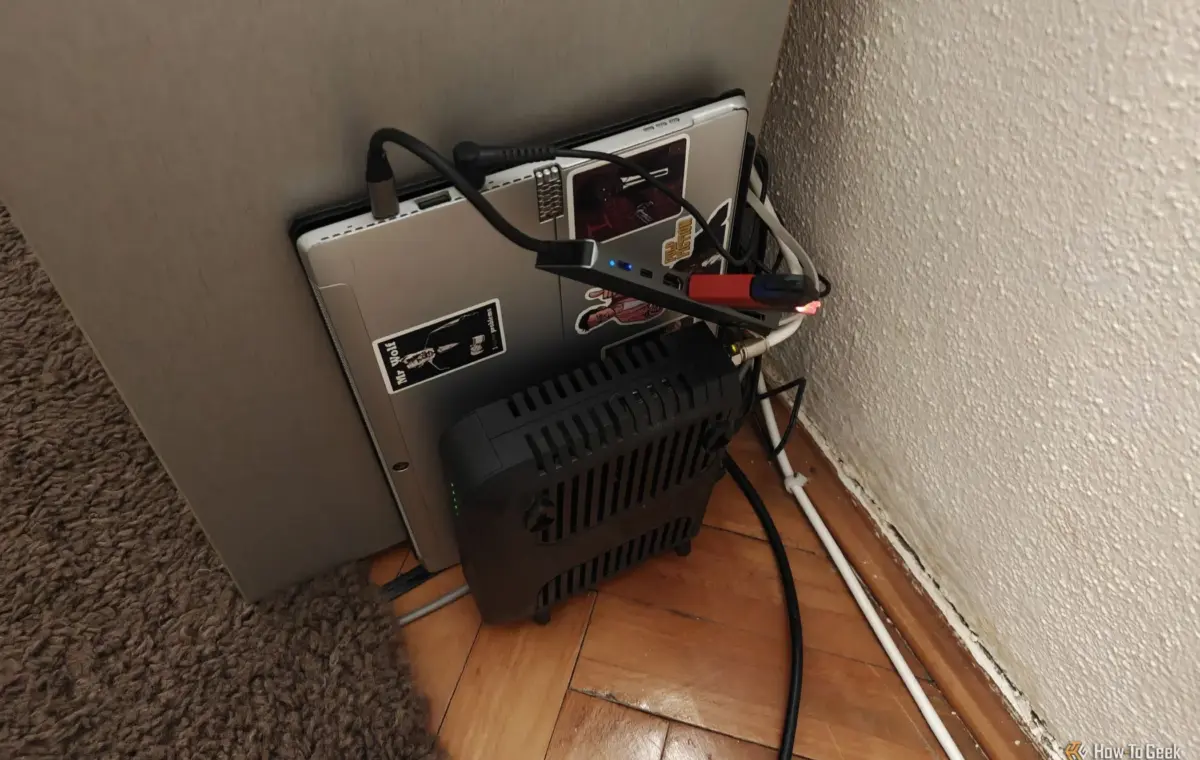
When someone new comes over, one of the first questions I get is why in the world I have a random laptop plugged into my router. Depending on how tech-savvy they are, my answer usually ranges from "Oh, it’s just for movies" to "This is my home server, and here's what it does." So, here’s why I actually keep a decade-old laptop running next to my router.
I'll admit, I've never been much of a Linux tinkerer kind of person. I always just had a Windows desktop PC and Android phone that I occasionally did cool stuff on, but that's about it. After months of talking to my colleagues at How-To Geek and some deliberation over whether to buy a NAS to start a home media server, I realized that I had everything I needed—I could just build one from an old laptop with a broken screen that I had tucked away years ago.
The laptop is nothing special. It's an old Lenovo Miix 2-in-1 with an i5-7200U, 4GB of soldered RAM, and a 128GB NVMe.
I knew that I would eventually find a way to repurpose it, and the day finally came when I decided to turn it into a small-scale project, just to see if I'd like it. It was much less intimidating than spending hundreds of dollars on a device that I might not use; I'll tell you that much.
So, I bought a cheap USB-C hub with an HDMI output, a few extra USB ports, and a microSD card reader. After successfully installing Ubuntu Server on the laptop, I connected a few USB flash drives I had lying around to expand the measly 128GB internal storage so that I had space for at least a few larger backup files, movies, and shows.
I then proceeded to install Jellyfin, spent some time figuring out how to set it up and how to optimize it for my use case, and then loaded up some old media I had lying around.
It was a humble beginning, but I finally had a device that I could easily stream content from to all the other devices in my house.
My old laptop had a dead screen and a broken SSD—how I still turned it into the ultimate free homelab
My homelabbing journey had humble beginnings, but it turned out that I liked my new little Jellyfin machine way more than I expected, so I soon fell into the self-hosting rabbit hole.
I started looking for other self-hosted apps I could spin up on my home server. My colleague Patrick suggested I use Docker to manage the apps in their own individual environments, called containers, to keep my system clean and easier to troubleshoot, so that's what I did and rebuilt Jellyfin.
I first optimized everything around Jellyfin, adding apps like Sonarr, Radarr, Lidarr, and Bazarr to manage my library.
Then I discovered Immich, and after trying it out for a bit, I realized I could replace Google Photos if I invested in an external hard drive—and I did. I bought a 6TB hard drive to replace those tiny, overheating USB flash drives and loaded all of the personal images I'd accumulated over the years onto the server.
Then I added Home Assistant and migrated my entire smart home to it, and the list just continued growing from there. I couldn't believe what this old laptop with a 2-core CPU and just 4GB of RAM could do. All these little services run constantly in the background, without fail.
Perhaps one of the most important and interesting self-hosted apps I keep running on my laptop is AdGuard Home. It's a network-wide DNS server that filters out unwanted traffic, such as trackers and telemetry.
I installed this just to see how it works, but soon discovered that moving DNS handling away from my underpowered router to my laptop was one of the best things I could do for my network.