Dibakar Ghosh is a tech journalist at How-To Geek, where he focuses on Linux, Windows, and productivity tools. His goal is simple—help readers at every skill level get more done with the tech they use every day.
He began his writing career in 2016 with WordPress tutorials, later moving into digital marketing, where he spent years reviewing complex tools for marketers. His work has also appeared on Authority Hacker, where he’s shared in-depth guides on digital workflows and online productivity. That experience now shapes his journalism, blending analytical depth with practical, real-world advice.
When he’s not writing or testing software, Dibakar is usually watching movies or playing video games. He’s a huge Christopher Nolan fan and a strong proponent of the theater experience. In gaming, he has sunk hundreds of hours into Insomniac’s Spider-Man series, Returnal, Prototype, Darksiders, and Final Fantasy titles.
There are hundreds of Linux distros out there, and most of them are genuinely good—as long as they're used by the people they're designed for. The whole point of a Linux distro is to package the Linux kernel with a particular desktop environment, package manager, and system defaults fine-tuned for a specific type of user or workflow.
For instance, some distros are designed for Linux newcomers, while others are built for advanced users, gamers, or developers. Likewise, some distros simply offer a better experience on a laptop than others. And here are my five favorite Linux distros that are perfect for laptop use.
This is not a ranked list. I don't think any one of these distros is better than the others. Each one is designed for a different type of user, depending on your needs and how your laptop is configured.
Fedora has been getting a lot of attention lately, and I think it's slowly becoming the "everything" desktop Linux distro. Between the immutable Atomic variants, the regular Workstation edition, and the various Spins, there's a version for just about everyone—and it just works. You get very up-to-date packages without the system feeling fragile, and it's secure by default thanks to SELinux. It's packed with developer tools if you need them, but it's also approachable for Linux newcomers.
Fedora also supports every major desktop environment. GNOME is the flagship desktop environment (DE), but you can also choose KDE Plasma, Cinnamon, Xfce, i3, and many other popular desktop environments and window managers.
That said, if you're installing Fedora on a laptop, I'd stick with the flagship Workstation edition. It ships with the GNOME desktop environment, which, in my opinion, is the best DE for laptops. The entire interface is built around virtual desktops, or workspaces, where you're encouraged to keep one app—maybe two—on your current workspace. Everything else lives on separate workspaces that you can switch between with a three-finger swipe on the trackpad.
That workflow can feel limiting or restrictive on a desktop with a large monitor, where you'd rather have four windows tiled side by side. On a laptop, though, it just feels right. You're probably not going to run a complicated multi-window layout on a 14-inch screen anyway, so organizing your apps across virtual desktops is a much more natural fit, and GNOME makes the experience feel effortless.
While most distros feel like a fixed menu, Fedora quietly transformed itself into the all-you-can-eat buffet of Linux.
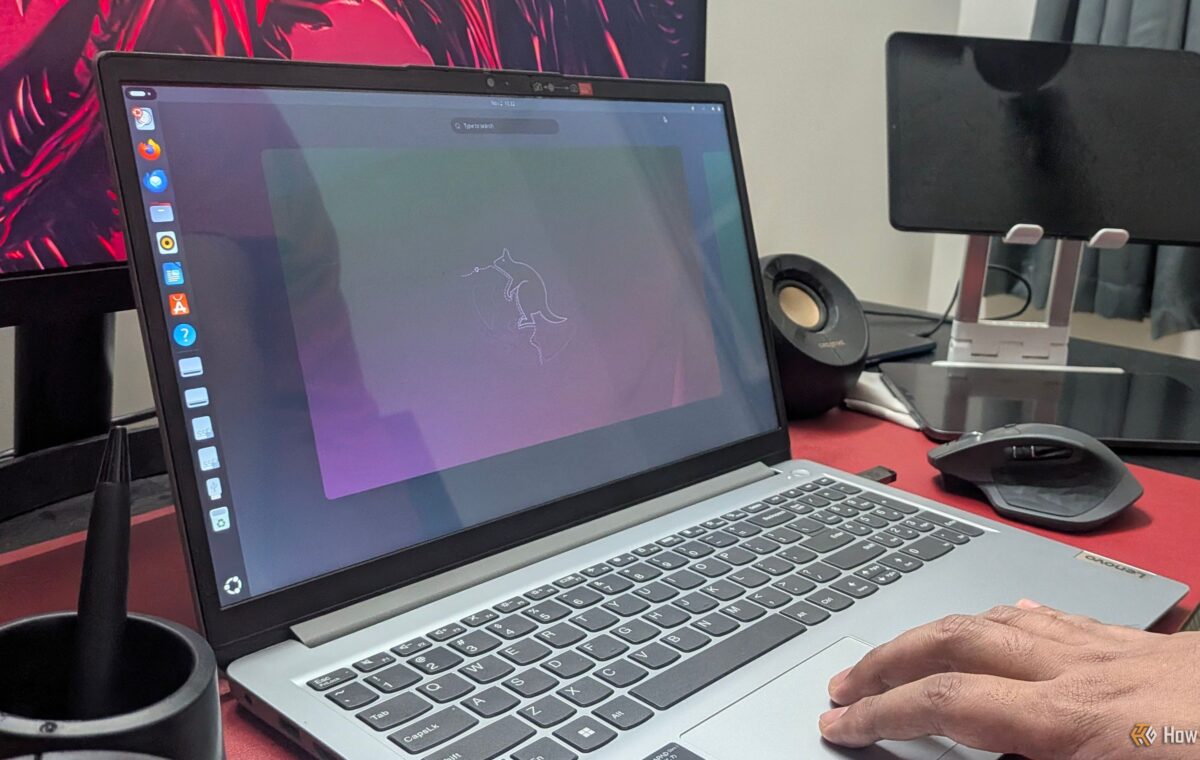
I'd put Ubuntu right alongside Fedora, and for a similar reason—it also ships GNOME, and it's one of the best GNOME-based distros out there. But it has a specific set of tradeoffs against Fedora, and depending on who you are, those tradeoffs either make it a better pick or a worse one.
The big one is hardware compatibility. Fedora ships with no proprietary firmware or drivers out of the box, but plenty of laptop manufacturers use Wi-Fi and Bluetooth chips that need them. So there's a real chance you boot the Fedora installer and find your Wi-Fi doesn't work at all. It's not the end of the world—you can fetch them from a third-party repo like RPM Fusion, or pull the driver packages down on another machine and sideload them over USB—but it's a hoop to jump through. In contrast, Ubuntu bundles essentially every proprietary driver you might need, making it a better pick if you don’t want to deal with any hardware compatibility issues.
However, where Ubuntu loses ground is the bloat. You're not getting a clean GNOME experience—Canonical layers its own extensions on top, and while you can turn those off, they're there by default. Then there's the whole Snap app controversy, which is more intrusive than it should be and tend to be bulkier and slower to launch than the equivalent repo package or Flatpak—which is what you'd be using on Fedora. You can disable Snap and set up Flatpak instead, and plenty of people do, but then again, that's extra configuration work that Fedora doesn't ask you to do.
So it comes down to which set of chores you'd rather have—driver hunting on Fedora, or debloating on Ubuntu.
Fedora is doing almost everything right. But Ubuntu is still winning because it’s doing the one thing that matters most.
Linux Mint is built on Ubuntu, so you inherit Ubuntu's excellent hardware compatibility, but it strips out many of the parts people complain about. There's no Snap, none of the extra bloat, and no GNOME either. Instead, you get the Cinnamon desktop environment.