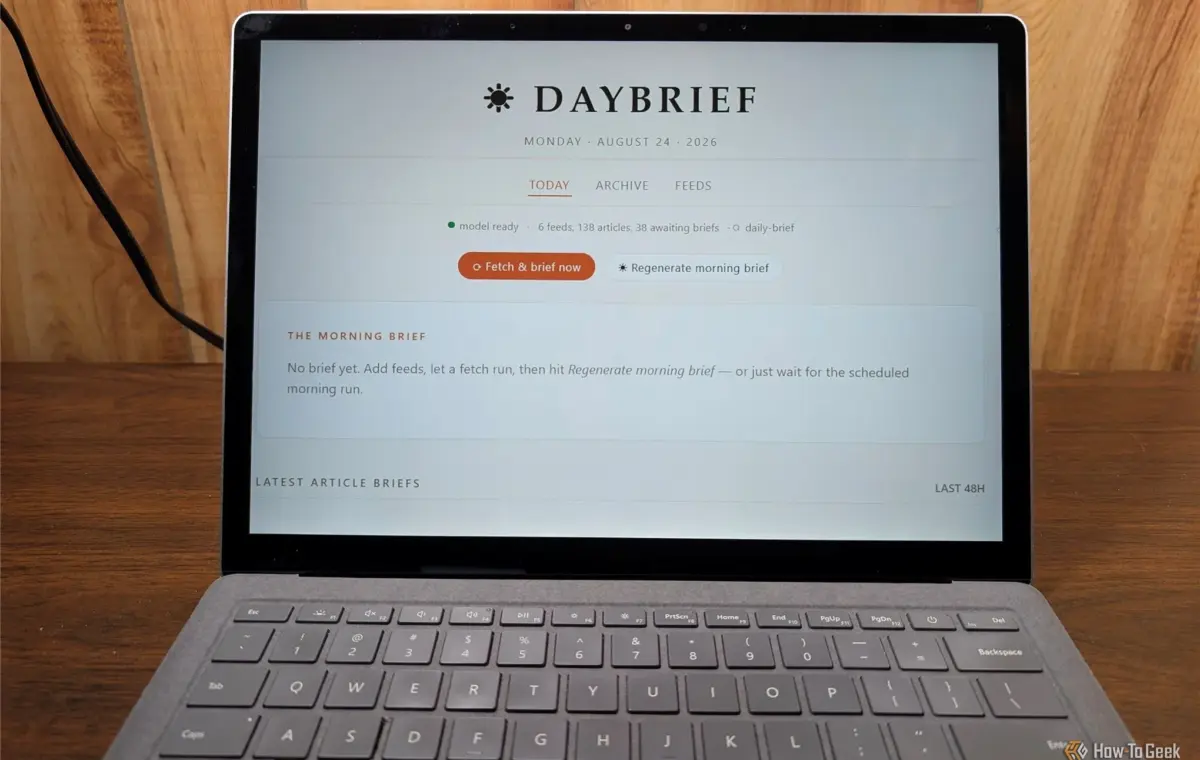
With rare exception, I start my day by skimming a handful of RSS feeds specific to my interests and my work. Then, if any of them are relevant to a work project, I paste them into a document so I can reference them later.
Gemini Notebook (formerly NotebookLM) introduced me to an interesting feature that could help me skim those RSS feeds much more efficiently once I pasted them in, but I'm not typically enthusiastic about using cloud-based AI if alternatives exist.
So, I decided to integrate an AI directly into an RSS reader so that I didn't need to manually copy and paste anything, and the entire thing runs locally. It doesn't replicate NotebookLM's full suite of features, but it does replicate my favorite features.
My single biggest concern with any cloud-based AI service, including NotebookLm, is that everything passes through Google's servers. Google explicitly states that they don't train their AI on anything you upload to NotebookLM unless you opt in, but your files are still processed and stored on the server.
In my case, the actual risk is minimal. I mostly use it for non-sensitive, non-confidential research, but it is a habit I prefer to avoid. If I were doing something even remotely sensitive, I'd probably preclude it immediately. On the other hand, I can take whatever steps are necessary to secure data that is stored on my PC.
Encryption and cloud storage are modern necessities, and they make backing up even more important.
In the specific case of RSS feeds, the lack of automation was also a bit of an annoyance. NotebookLM is manual, it doesn't have the option to pull RSS feeds on a schedule.
Finally, there are the constraints with the free tier. The daily limits for report-style generation and chat questions are capped and there is a 50-source ceiling per notebook. That is fine if I'm doing focused research on a topic area, but it doesn't work if I want a digest to skim first thing in the morning and briefs generated spontaneously throughout the day. An RSS feed can easily have more than 50 different sources divided into multiple different categories.
With those limits in mind, I set out to build something more targeted to what I was actually using it for.
To build this, I started with three basic requirements:
Rather than attach an existing FOSS RSS reader to an AI (it worked, but it was wasteful), I quickly vibe-coded an application that handles RSS feeds natively. In practice, I can add a new RSS feed just like I would on any normal RSS reader.
Under the hood, the entire project uses Gemma 4 12B running with Ollama, which strikes a good balance between quality and memory usage. After all, I don't want the process to be so demanding that my PC is unusable while it is running—I need to be able to do other things simultaneously.
I expected the project to require a bit of troubleshooting to get it working correctly, but it actually worked well out of the gate. I added an RSS feed, it took a few minutes to run through Gemma, and then I got my summary. After fiddling with the prompt to get the output's tone more to my liking, I was happy.
The only real drawback is model intelligence. No model you can run on average consumer hardware will know as much or be able to "reason" as well as a frontier model with terabytes of VRAM at its disposal.
In practical terms, the smallest model I found to produce decent results was 7B parameters, which will run quantized in 8GB of memory. You could even run it on a CPU-only setup—like my old laptop-turned AI node—but it'll be agonizingly slow.