When we’re discussing budget laptops to buy in 2026, we would normally try to emphasize a minimum expectation for specs. If you’re gunning for a gaming machine, you want a certain amount of memory to go along with it. At least, that was before the RAMpocalypse.
The last few years of laptop designs have improved on a few concepts we had come to expect as routine. More fool us. New chips have supplied better battery life than you would normally expect, even in a laptop with a discrete GPU. You can throw all that out the window with the MSI Crosshair 16, specifically the E14WFK-036US model. It’s running on 16GB of RAM, the Nvidia RTX 5060 laptop GPU, an older Intel Raptor Lake chip—the Core i7 14560HX—and a measly 512GB of storage. Let me tell you right now, you’re not getting even a sliver of your Steam library on this laptop alone.
MSI's low-end, relatively affordable gaming laptop loses out on memory but can still pack a punch.
But you shouldn’t dismiss the Crosshair out of hand. You can forgive a lot for a gaming laptop that you can find for $1,300 (this specific model is only available through Walmart). A year ago, that price point would seem perfectly achievable with these specs. Hell, it would probably be too expensive considering the 512GB SSD. Today, that’s low enough I can honestly advise students or gamers on a budget to seriously consider the MSI Crosshair 16 HX. You’ll be hard-pressed to find a better deal on a new laptop today, not when prices just keep getting worse.
And thankfully, MSI has supplied other reasons to care about this laptop, other than price. The 240Hz refresh on the IPS LCD display promises to let you run games as fast as they will go. The laptop itself boasts a surprising amount of power despite the use of older-gen components. Sure, the Crosshair 16 HX is a compromise, but it’s a better compromise than most.
The MSI Crosshair is an extremely gamer-fueled laptop. From the moment you take it out of the box, you’re greeted with a cheap-feeling plastic cover adorned with an MSI logo and several more vaguely tech-y decals. Inside, you’ll find more stenciled-on patterns that are supposed to remind you of an in-game crosshair and an ammo counter. Everything’s plastic, which means your grubby hands will immediately mar the palm rest and laptop lid with ugly smudge marks that seem impossible to wash off.
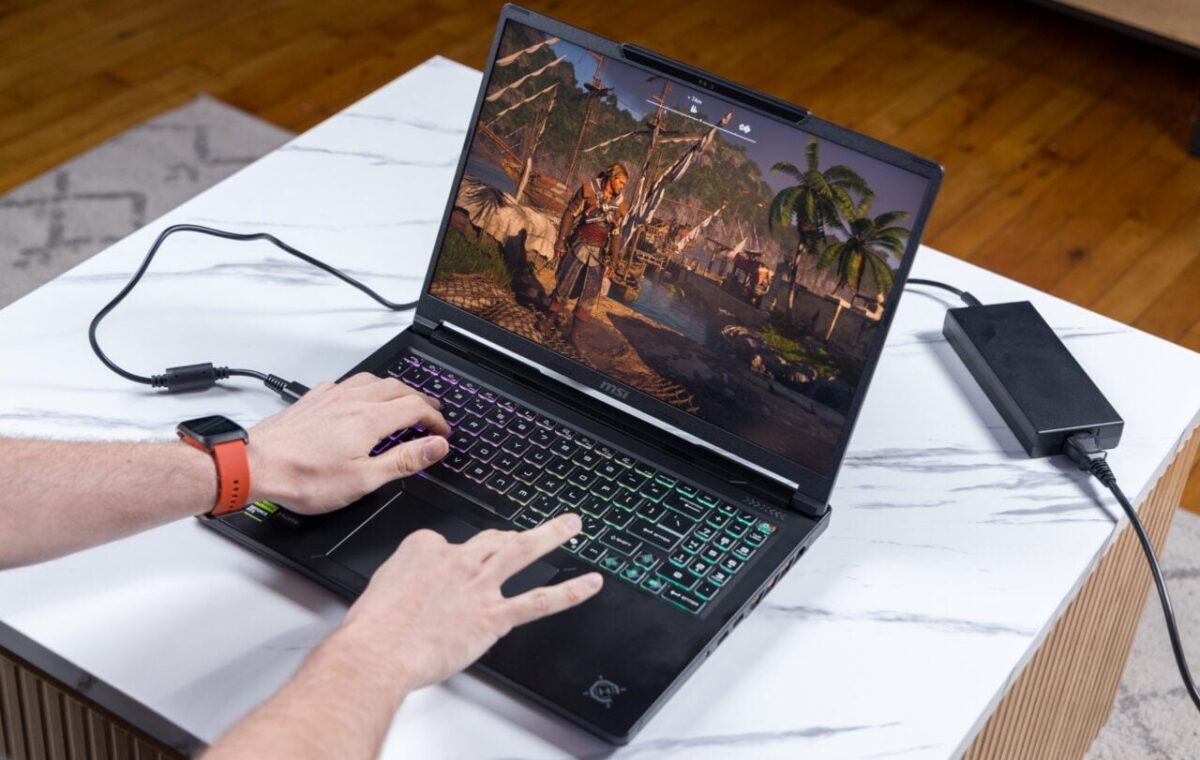
For all that obscene gamer aesthetic, you are also greeted with a full four-zone RGB-backlit keyboard. It includes a scrunched numpad on the right, just to ensure you’re not missing any keys you may require in or out of games. As for the PC’s other controls, running my finger along the large trackpad feels stiffer than I would prefer on most laptops. It also has a dead zone that won’t accept a physical click about an inch from the keyboard. That’s normal for this price of laptop, but I’ve been spoiled by the MacBook Neo’s clicky mechanical trackpad.
The bright RGB lights set the scene of how this laptop feels in hand. The translucent plastic surrounding the WASD keys and power button is especially evocative for those who enjoy the unicorn puke-colored lifestyle—like yours truly. The issue for some users is that the trackpad is not centered with the main typing keys, meaning your palm will rest on the trackpad more often than not. The keyboard doesn’t offer the type of bouncy experience I would hope for on a high-end machine, but the PC’s control is good enough for work or play.
I know there are some potential buyers looking at this laptop for work reasons. You just need a mobile RTX 5060, and this laptop does indeed bring that to the table. You’ll just have to suffer the motley of RGB and annoying decals that you’ll either need to cover with stickers or simply learn to live with.
I don’t expect to see a 240Hz display on a laptop at this price point, but you can be sure that I’m happy it’s here. The larger issue is how the display does not include any kind of variable refresh rate (VRR), Nvidia G-Sync, or any other screen technology to help you avoid potential screen tearing issues during gameplay.
The Crosshair 16 HX’s QHD+ (2,560 x 1,600 pixel resolution) IPS LCD display is especially bright for this budget(ish) gaming laptop. There was rarely a point I couldn’t use it, whether working in front of floor-to-ceiling windows or in the dank space of my Brooklyn apartment with the blinds drawn. The screen is also surprisingly resistant to reflections and glare, so I could work or play in almost any environment.
As much as I may complain about the missing VRR, I never actually experienced any issues during my weeks spent with the Crosshari 16 HX. That doesn’t mean it won’t rear its head after hours of gameplay where framerates dip or spike. The max 240Hz is an odd choice on a laptop with a lower-end CPU/GPU combo, but it will mean that some less-intensive titles like Hades II can max out the frame rates and have a very speedy gaming experience.
As for sound, the Crosshair 16 HX is… fine. The dual 2W speakers on this 16-inch laptop don’t get too loud, especially not boisterous enough to eclipse the noise of the system fans. Even with Nahimic 3 Audio Enhancer enabled, the audio doesn’t have much presence, even if it offers a balanced sound profile overall. My suggestion is to keep your favorite pair of gaming headphones or earbuds handy.
The screen, keyboard, and controls offer everything I expect from a budget laptop—maybe even more. There’s certainly not any one complaint that sticks in my craw that drives me up the wall. However, I have a bone to pick with MSI’s port placement. The back of the unit packs in Ethernet, HDMI, and a single USB-A port. There are another two USB-A ports and a headphone jack on the right flank, though on the other side you’ll find two USB-C 3.2 ports and the extra-large proprietary charging port.
The laptop’s thermal system seems built to keep the heat away from your hands, which is extremely welcome during gaming. It also seems to have pushed the charging port closer to the center of the laptop, not in the back. where it could sit out of the way. However, the thermal management of this laptop may be its greatest strength. Despite running at top speed for hours, the device never felt hot on my palms. During gameplay, it read a high of 108 degrees Fahrenheit in the middle of the keyboard but never reached more than around 78 degrees Fahrenheit on the palm rests, according to readings from a laser thermometer.