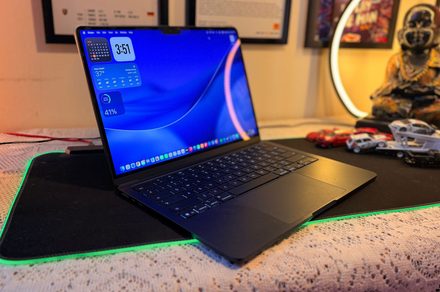
I’ve been using Windows laptops for almost 25 years. In that time, I never once seriously thought of buying a MacBook. In fact, I can honestly say I had never used one at all until I bought my MacBook Air M5 six months ago. Never borrowed one for a weekend, spent an afternoon at an Apple Store, or even played with one at a friend’s house. Macs, to me, were just expensive computers for those who edited videos, made logos, or liked drinking expensive coffee.
Earlier this year, I was travelling across Manali in the middle of winter. The temperature had fallen well below what my Windows laptop apparently considered acceptable working conditions. It was a smartphone manufacturer that had dabbled in laptops, and somewhere between the freezing weather and its rather questionable internals, the motherboard shorted itself. That was all it was, an expensive paperweight in my backpack.
Fortunately, a friend let me borrow his MacBook Air M1 so I could get some urgent work done. That one decision cost Apple nothing, but it cost Windows and me a hell of a lot more. The reason being, a few hours later, I realized not a single feature stood out. No, don’t get me wrong. While I used the MacBook, I meant to say that I had no problems to deal with – the usual set that you face when you are working on a Windows machine. No stuttering while changing tabs, no freezing while using AI agents in Chrome, no hiccups in changing the screen you are looking at. After a furious hour of typing and coaxing WordPress to move itself, I realised something.
The keyboard didn’t flex under enthusiastic typing. I wasn’t fixing ghost typos because a key had hit twice. The display unfolded with a single hand. I opened the lid and the laptop woke up. Each click, each scroll, each gesture happened precisely when I expected it to. It just felt… ripe.
That’s probably a good summary of the MacBook experience. Nothing jumps out at you. Nothing wants you to wait. It all just quietly works. Of course, I bought my own MacBook Air M5 shortly after, and six months later I still think it’s one of the best tech buys I’ve ever made. There are a lot of reasons.
Love the hardware. Minimalist design is still looking classy without going overboard. Surprisingly comfortable for long writing sessions because of the ergonomics. More importantly, the hardware and software appear to have been designed by people who actually talked to each other before shipping the product. But one thing that has completely ruined Windows laptops for me is the trackpad. Yes, there will be someone saying “haveutriedthislaptop” or something, but I never wavered.
I know how crazy that sounds. But let me tell you!
No one buys a laptop for the trackpad. At least I didn’t. But now, it is the one thing I miss the most when I use a Windows machine. For years I’d treated the trackpad like a backup. I used it until I found a mouse. On Windows it’s almost muscle memory. The trackpad is just okay, so you reach for an external mouse as soon as you can.
It took me weeks of using the MacBook to kick that habit. Apple MacBook Air’s trackpad is not just big. That’s pretty accurate. More importantly, it’s what macOS is built upon. Instead of moving a little pointer around the screen, you’re interacting with the OS itself. Soon the gestures don’t feel like shortcuts but the way the computer is meant to be used.
For 25 years, all of my Windows laptops have followed the same routine. I’d use a wireless mouse after a day or two of using the trackpad. Not that Windows trackpads were bad; they just felt like compromises. It was fine for web browsing, but it always felt like real work required a plugged-in mouse. And I brought that same habit to my MacBook.
Interestingly enough, the mouse never surfaced from my backpack. It was not a conscious choice to stop. Weeks turned into a month, and eventually, I realised I had forgotten all about it. It wasn’t because the trackpad was bigger or smoother than the competition, but it certainly is. The larger distinction, though, was that macOS was designed around the trackpad and not just supported it.
The operating system promotes gestures instead of clicks. Very rapidly, my fingers ceased to move a cursor around the screen and began to navigate the operating system itself. It felt less like pointing to icons and more like physically interacting with my workspace. That change is so minor on paper, but it completely changed the way I use my laptop every day.
Mission Control I opened by swiping up with 3 fingers; that was the first habit I formed. My average workday involves Chrome with a ton of tabs I’d rather not admit (don’t shame me!), Microsoft Word, Finder, Steam apps, and a handful of messaging apps like WhatsApp or Teams all open at the same time. I would press Alt + Tab over and over until I got to the window I wanted on Windows. On macOS, a swipe instantly presents a bird’s-eye view of everything open. I don’t sift for windows anymore. I just pick the one I want.
No, don’t get me wrong, Windows also has a swipe feature to give me a full view of the open application windows – but it worked sporadically, which irked the H out of me.
A second indispensable feature that surfaced was Three-Finger Drag. I never realized how awkward click and drag was until I switched. Now it’s just unnecessarily clunky to have to always press down on a trackpad while moving windows or selecting blocks of text. Three Finger Drag lets me easily move windows, rearrange files, and select text with little to no effort. After using it for months, returning to not having Three Finger Drag feels surprisingly uncomfortable.