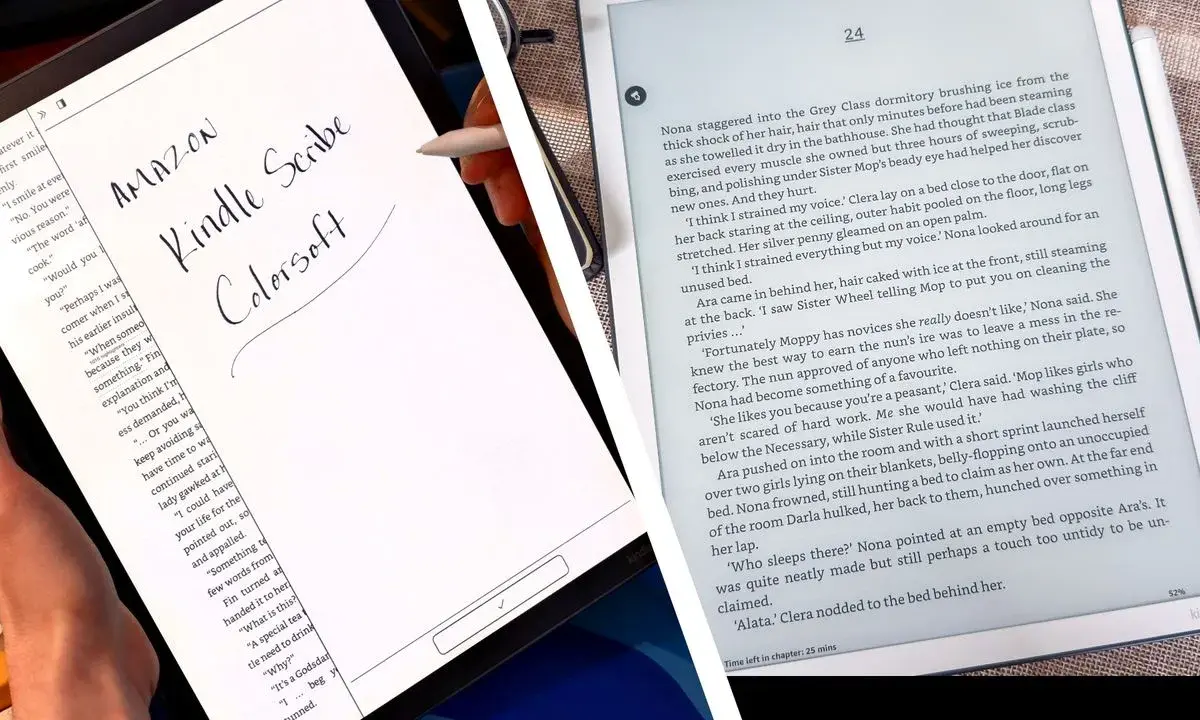
Save your cash as color E Ink just isn’t there yet
When you purchase through links on our site, we may earn an affiliate commission. Here’s how it works.
I’ve been reviewing ereaders and epaper writing tablets for nearly a decade now and, in that time, I don’t think I’ve been more excited about an E Ink device as much as Amazon’s Kindle Scribe Colorsoft.
When it was announced in October 2025, I was keen to see how well Amazon had implemented the E Ink Kaleido 3 screen technology on the 11-inch note taker, especially since I found the 7-inch Kindle Colorsoft ereader to be one of the better-optimized displays in this category of tablets.
I had to wait over six months after it was initially available to buy in the US — living in Australia meant I could finally lay my hands on it in June this year — but I happened to try the 3rd-generation Kindle Scribe with frontlight first. Following that up with the Colorsoft version was probably a bad idea because I think the 2025 Kindle Scribe is arguably the best Kindle Amazon has made to date: it’s fast, the implementation of the monochrome E Ink Carta 1300 screen is fantastic and the battery life remains just as impressive as on any other Kindle.
The Kindle Scribe Colorsoft, in comparison, lacks luster. For the most part, it’s not really Amazon’s fault that its monochrome sibling outshines it — it’s the limitations of color E Ink display tech after all — but the one thing that really stands out to me is very much under Amazon's control.
I love the new wallpaper artwork on the 2025 release of the Scribes. They're beautiful, different and, after seeing them first on the 3rd-generation Kindle Scribe in black and white, I was keen to appreciate them in color.
Strangely, the dominant color you see on the lockscreen artwork on the Kindle Scribe Colorsoft is blue. From the start screen, showing the silhouette of the boy reading under the tree, to the red-and-white balloon hovering over a lake and forest, every default artwork just looks… blue.
Now, I know some of this is due to the screen itself — the color filter array (CFA) layered over the screen tends to shift hues towards a grey-blue. But if Boox can ensure the other colors pop in the default wallpapers on its large-screen color devices, so can Amazon.
Sign up for breaking news, reviews, opinion, top tech deals, and more.
I thought I’d get used to it but, two months on, and I’m left feeling… well, blue every time I wake up the Kindle Scribe Colorsoft. I don’t typically like displaying book covers on the lockscreen, but that’s what I’ve reverted to recently just to avoid the dominance of that one color.
OK, I’ll admit that I sound like I’m nitpicking with the wallpapers, but it highlights one big issue with color E Ink displays — they’re darker than the monochrome E Ink Carta screens and, unless you bump up frontlight brightness, the colors don’t really pop. You can see that with not just the wallpapers, but with book covers and comics too on the Kindle Scribe Colorsoft.
This is because of the RGB layer integrated into the display and it affects every single color ereader and digital notebook, not just the Colorsofts. That means the ‘white’ background isn’t as white as it would be on a similar device using the E Ink Carta 1300 screen (like the 2nd and 3rd generation Kindle Scribes) which, in turn, makes colors look dull.
But increasing frontlight brightness to enjoy those colors means you’re draining battery life quicker. In the two months I’ve been using the Kindle Scribe Colorsoft, I’ve had to charge it every 2 to 3 days with an average use of 5 hours a day — mostly reading, but some writing too, and browsing the Kindle Store — with auto-brightness settings and Wi-Fi on. In comparison, the 2025 Kindle Scribe lasted me about 5 days on a single charge with the same settings and similar use case.
Annoyingly, the Colorsoft edition takes much longer than the standard Scribe to recharge as well.