We may earn revenue from the products available on this page and participate in affiliate programs. Learn more ›
Product news, reviews, and must-have deals.
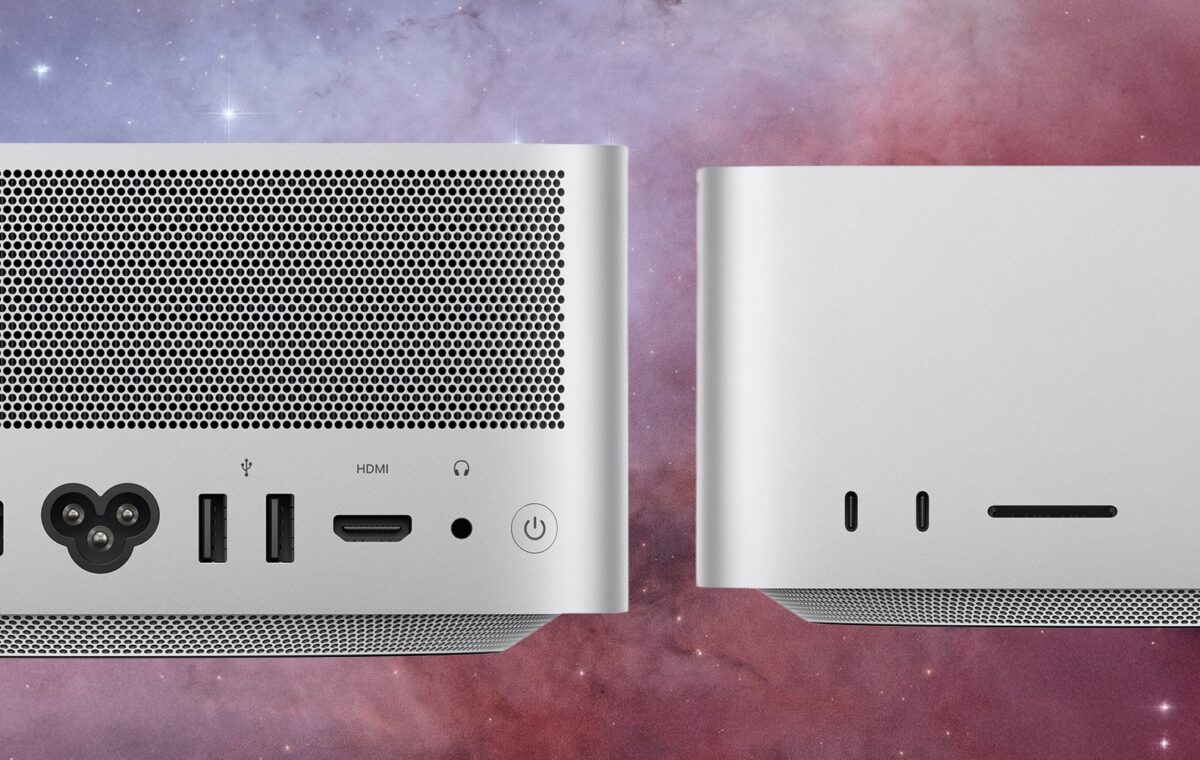
Apple refreshed the Mac mini and the Mac Studio today with four different chips between them. The Mac mini gets the all-new M6 and the M5 Pro. The Mac Studio gets the M5 Max and the brand-new M5 Ultra. If the middle two sound familiar, they should, because those are the same parts that showed up in March’s MacBook Pro refresh. The M6 and the M5 Ultra are where the actual engineering news lives, and both of them are aimed squarely at running AI models on your desk instead of a massive data center. Pre-orders open today and machines start arriving September 22.
Apple built the M6 on a 2-nanometer process, a first for the company. Every M5-family part, including the $5,499 M5 Ultra, uses third-generation 3nm. The M4 generation before it used second-generation 3nm. So the newest, densest silicon Apple has announced currently sits in an $899 Mac mini and nowhere else, which is not how this usually goes.
The smaller process lets Apple add CPU cores while holding the line on power efficiency. M6 has a 12-core CPU, two more than M5, split into a configuration Apple hasn’t used before: 2 super cores, 4 performance cores, and 6 efficiency cores. The two super cores handle single-threaded work on their own. The four performance cores use less power and join in when a multithreaded job needs them, while the six efficiency cores take background tasks like file indexing. Apple claims the world’s fastest single-threaded performance and up to 1.2x faster multithreaded performance than M5.
UltraFusion has been Apple’s trick for building Ultra chips since the M1 Ultra in 2022, and until now it meant joining two dies. The M5 Ultra doubles that. Because the M5 Max is itself a two-die chip built on the Fusion Architecture that debuted in March, connecting two M5 Max chips produces a quad-die system on a chip, a first for Apple silicon. Apple says UltraFusion now moves more than 4.4TB/s between dies with over 6x the connection density of the previous version, which is what lets four separate pieces of silicon behave like one processor rather than four chips trying to get along.
The result tops out at a 36-core CPU (12 super cores and 24 performance cores) and an 80-core GPU, though the $5,499 Mac Studio starts with a 30-core CPU and 64-core GPU and charges extra for the full chip. The GPU count at the top of the range is unchanged from the M3 Ultra, so a large share of this generation’s gains comes from new hardware inside each core and from the wider interconnect rather than from adding cores.
These two get conflated constantly, including in Apple’s own marketing. The Neural Engine is a dedicated block that has been on Apple silicon for years and handles Apple Intelligence tasks and Core ML models. Neural Accelerators are new hardware built into each individual GPU core to speed up matrix multiplication, the math that dominates LLM inference. They’re separate pieces of hardware doing different jobs, and the two new chips improve different ones.
M6 introduces a new Neural Engine arrangement Apple calls Dual 16-core, meaning two complete engines that macOS frameworks can run simultaneously for up to 2x the peak compute of the previous generation. The M5 Ultra keeps a 32-core Neural Engine, the same count the M3 Ultra had, and instead adds Neural Accelerators to an Ultra-class GPU for the first time. That second change is where the big AI multipliers come from. Apple puts the M5 Ultra at up to 4.3x the peak AI compute of the M3 Ultra in the Mac Studio announcement.
Core counts get the headlines. Bandwidth is what most people should be reading. For a lot of LLM work, the machine has to stream model weights out of memory repeatedly as it generates tokens, so the width of that pipe puts a practical ceiling on output speed. It isn’t the only variable. GPU compute, quantization, model architecture, and software optimization all move the number too, and mixture-of-experts models only touch a fraction of their weights per token. But bandwidth is the one that scales cleanly across this lineup, which makes it a useful way to rank the four machines.
Here’s the spread, and note that two of these four move depending on how you configure the machine. The M6 runs at 153GB/s in the $899 Mac mini’s 16GB configuration and steps up to 170GB/s once you order 24GB or more. The M5 Pro sits at 307GB/s regardless of configuration. The M5 Max starts at 460GB/s and reaches 614GB/s only with the 40-core GPU upgrade. The M5 Ultra delivers 1.2TB/s at every configuration, 50 percent more than the M3 Ultra’s 819GB/s. If you’re shopping these machines specifically to run models locally, bandwidth deserves at least as much attention as GPU cores, and on the mini and the M5 Max Studio it’s tied to boxes you have to tick.
A Mac Studio with M5 Ultra can be configured to 512GB of unified memory, which is enough to hold open-weight models with hundreds of billions of parameters in RAM. Two things to know before you treat that as the headline. The M3 Ultra Mac Studio could also be configured to 512GB back in March 2025, so the capacity is the same. And the 512GB option requires the upgraded 36-core CPU and 80-core GPU, which the $5,499 machine doesn’t include.
What changed is how fast that memory can be read, how much compute sits next to it, and how the dies talk to each other. Bandwidth went from 819GB/s on the M3 Ultra to 1.2TB/s, the GPU picked up Neural Accelerators, and storage moved to a PCIe Gen 6 architecture Apple rates at roughly twice the previous speed. There’s a scheduling catch on the big one, though. Every other Mac Studio configuration arrives September 22, but the 512GB build doesn’t ship until late October.
Thunderbolt 5 on the Mac Studio now supports RDMA, or remote direct memory access, which lets one machine read another’s memory directly without going through the usual networking overhead. Apple says the result is a shared memory pool across clustered systems, and that four clustered Mac Studio units deliver up to 3x faster AI inference than a single one. The Mac mini with M5 Pro has Thunderbolt 5 as well, which makes a stack of them a plausible small-team inference box.
The Mac mini with M6 ships with three Thunderbolt 4 ports instead, so it can’t use Apple’s Thunderbolt 5 clustering feature. It can still participate in ordinary networked and distributed computing over Ethernet, so this isn’t a wall so much as a missing shortcut. It’s the clearest functional line Apple has drawn between the $899 mini and the $1,699 one, and you’ll want to know it before you buy four of the cheap ones expecting to pool their memory.