Android Auto is strongly associated with cars and driving. I mean, it is right there in the name. But while navigation gets most of the attention in its interface, Android Auto is really a simple interface with large buttons, voice controls, and easy access to a few essential apps, which makes it surprisingly useful beyond the driver's seat.
With a third-party app like Open Headunit, you can turn an Android phone or tablet into an Android Auto display. It lets you run standalone Android Auto, but the best part is that it connects to your main phone, allowing you to use the interface on a second screen. Once you set the app up, there are plenty of creative ways to put it to work outside the car.
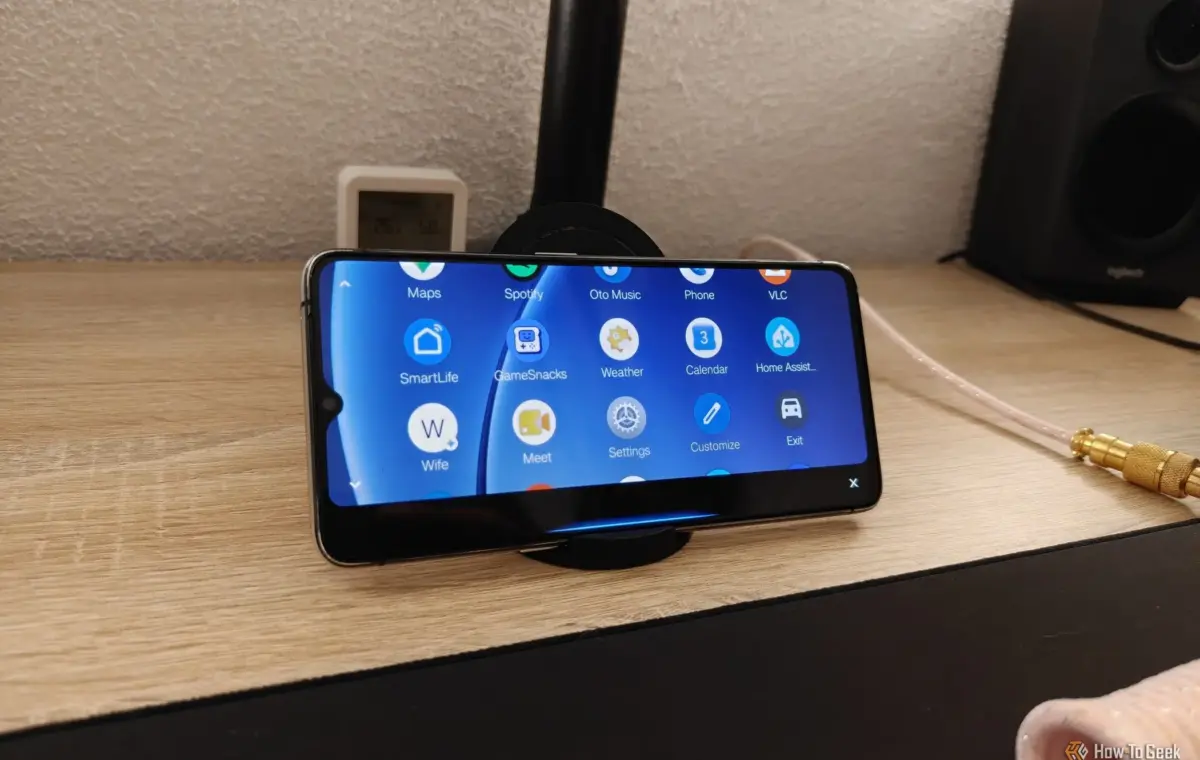
I turned my old phone into an Android Auto display for my desk a couple of months ago, just to see how it would work, and it ended up being way more useful than I could've imagined.
Many people repurpose their old phones by giving them a single task: they turn them into a Home Assistant dashboard, dedicated Spotify controller, or Gemini device. But with Android Auto, I don't have to choose—I get to have those big, easy-to-tap buttons for all my apps.
My favorite part of this setup is that I can see messages from my phone at a glance when it's connected, and I don't have to pick up my phone if I want to respond immediately. And if I miss a message because I was focusing on my work, I can check what I missed in just a few quick taps.
It's essentially like having my phone always propped up in front of me, but thanks to Android Auto, it's limited to a few essential apps, which really shows that it was designed to supplement driving as the primary activity. I'm not tempted to pick up my phone and start doomscrolling after every quick chat.
Android Auto gets a lot of praise for how it revolutionized navigation and entertainment while driving, but a very similar activity—riding a motorcycle—barely gets any mention.
And if there's a vehicle where you could make good use of navigation and, to a limited extent, other features, it's a motorcycle.
Unfortunately, Android Auto support is limited to a handful of luxury touring bikes. But the good news is that there's no shortage of small, water-resistant aftermarket displays that clamp directly onto the handlebars, unlocking next-level navigation that you can put to excellent use on a fast two-wheeler.
But motorcycles aren't the only two-wheelers where you can take advantage of Android Auto.
Bicycles and electric scooters are another great place to repurpose an old phone for Android Auto. This way, you don't have to worry about cracking your primary phone or exposing it to the elements, and you get incredibly convenient access to navigation and music controls.
My old Amazon Fire tablet is a car display.
Land vehicles have it easy with road navigation in Android Auto through apps like Waze and Google Maps, but all the things that make it great are surprisingly fitting for maritime navigation and entertainment as well—and MasterCraft Boat Holdings has finally announced that it's officially coming to some of its boats.
But if you've got a boat, you don't have to wait to start using it right away. If you're willing to do some DIY, you can probably get a portable Android Auto head unit to work pretty easily. If that sounds like too much work, you can always repurpose an old phone or laptop instead.
In any case, Android Auto on a boat makes a ton of sense. Apart from the usual Spotify and podcast apps, there's even a dedicated marine navigation app called Savvy Navvy. The app lets users discover optimal routes to places, check nearby boat traffic, get estimated times of arrival, and a lot more.