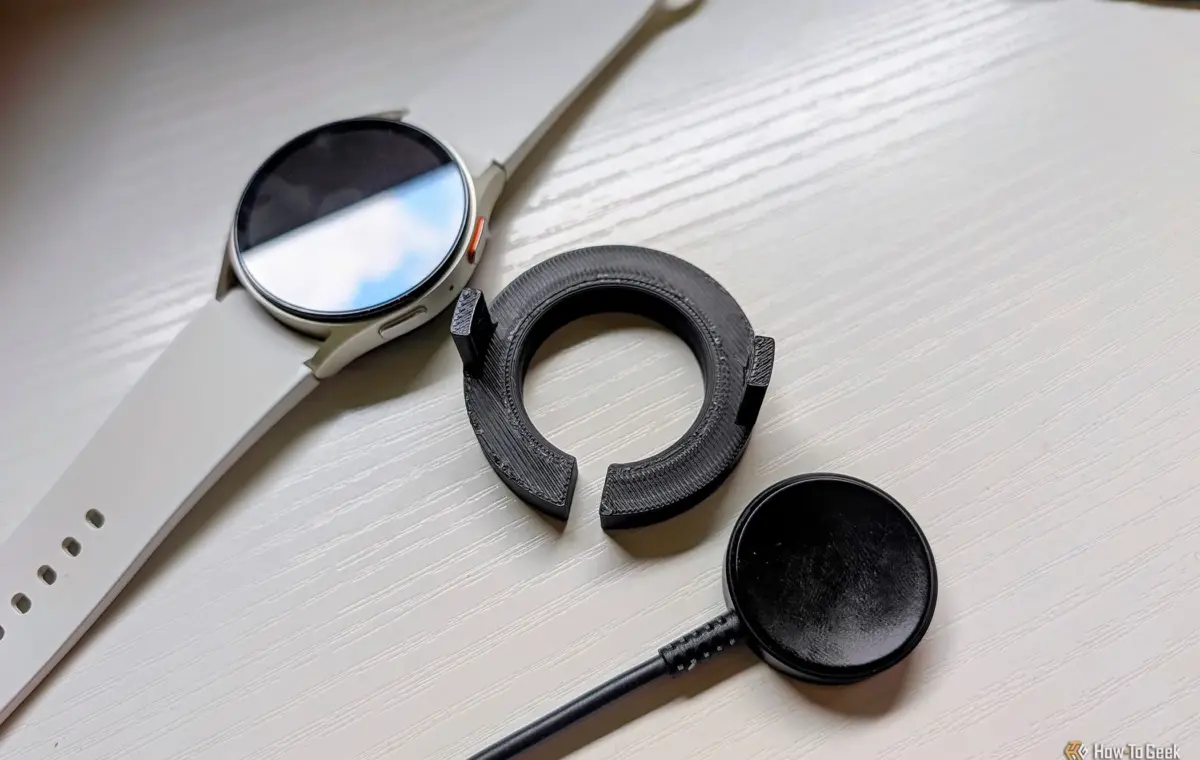
One of the things I appreciate about Samsung is that it’s stuck with the same charging puck for several generations of Galaxy Watch. That being said, the charger itself isn’t my favorite. My watch tends to easily slide off, but I found a very simple fix.
I mention Samsung’s history with Galaxy Watch chargers because other brands have been annoyingly inconsistent in this department. The Pixel Watch, for example, has had three different chargers in five generations. Not great.
As I said, I applaud Samsung for sticking with a consistent charger design. I like to make my own accessories, so I appreciate being able to upgrade my watch without needing to design a new charging stand, too. Part of the reason why I make my own stand is that Samsung’s charger isn’t the best on its own.
First of all, I find that the magnets in the charging puck are barely strong enough to firmly hold the watch in the precise position. On more than one morning, I’ve grabbed my Galaxy Watch off the charger with a low battery. The watch was physically magnetically connected, but misaligned just enough not to actually charge.
The second problem is that the puck itself is not very big, and this accentuates the first problem. Samsung doesn’t give you a very big target to hit. As much as I may not like that Google keeps changing its charger design, the most recent version is big and nearly impossible to misalign. Let’s fix it.
Android owners have two main smartwatch brands to choose from: Samsung Galaxy Watch or Google Pixel Watch. I’ve spent extensive time with both, but I just recently switched back to a Galaxy Watch after wearing a Pixel Watch for the last couple of years. I’ll explain why. Here’s my credentials. I’ve used every Galaxy Watch since the first Watch Active, except the most recent Galaxy Watch 8 (not a fan of the squircle). I’ve also been lucky enough to use every Pixel Watch model. Before the Pixel Watch 3, I was firmly in the Galaxy Watch camp, but it was finally good enough to earn some extended time on my wrist. I’ve been wearing the Pixel Watch 3 and Pixel Watch 4 ever since. Now, I’m back to the Galaxy Watch 7, and it feels good.
With my complaints about the Galaxy Watch charging puck in mind, I started 3D modeling a solution. This was one of the easier things that I’ve modeled lately—not nearly as complex as the microSD card phone case. The only information I needed was the puck’s diameter and thickness, the watch’s diameter, and the total height of the two stacked on top of each other.
With dimensions in hand, I could whip up a simple alignment ring. The puck sits in the center of a donut with a slot cut out for the cable. Then there are two arms that cradle the sides of the watch, and they’re narrow enough to slide between the physical buttons. This model is specifically made for the Galaxy Watch 7, but it could just as easily be made for any size.
After about 5 minutes of modeling in Fusion and a quick 12-minute print on my Bambu P1S, I had my first prototype ready to test—and it worked! The puck fit snuggly in the middle, the watch was perfectly aligned on top of it, and the whole thing only took $0.10 of PLA filament. It’s also held firmly in place, so even if the charger gets bumped, the watch stays with it. I love it when it only takes one print to get it right.
I’m happy with this solution (you can download it here if you’re interested), but I don’t love that I had to make it. Truthfully, I prefer charging docks, like the Pixel Watch 4 and 5 charger. That’s the style Samsung used before switching over to Wear OS. While a dock may not be as flexible for 3D printing accessories around, they’re much easier to plop a watch on and never think about again.
Unless you’re willing to settle for mid-tier hardware, it’s an unfortunate fact that phones don’t come with expandable storage anymore. As a response, external storage accessories are becoming more popular, but they lack the convenience of a built-in microSD card slot. I attempted to solve this problem with a 3D printed phone case. This isn’t my first attempt at addressing this conundrum. Previously, I designed an enclosure that can be attached to the back of a phone. It included a microSD card slot and an extra USB-C port to allow for charging while the enclosure is plugged into the phone. The idea was well received, but there was a common request: make it into a case. Good idea.