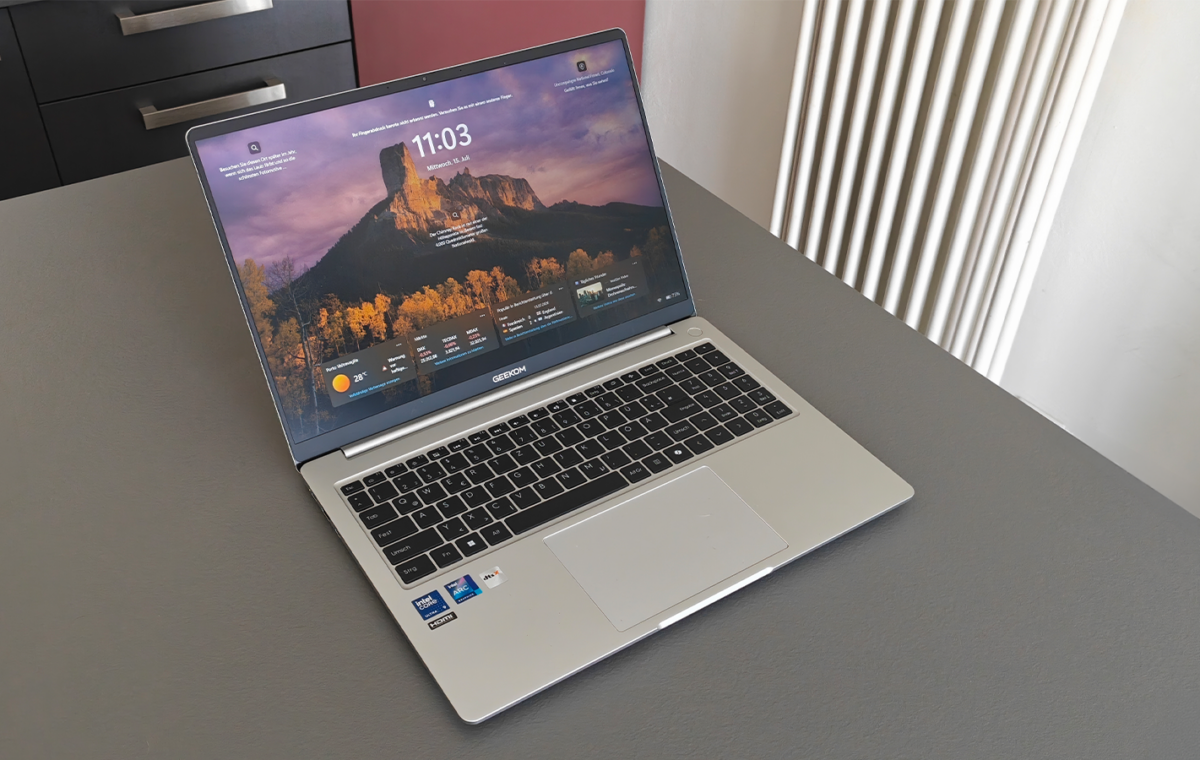
The GeekBook M16 is a solid budget productivity laptop with outstanding battery life and build quality, but its weak display and limited graphics performance hold it back from being a true all-rounder.
This value will show the geolocated pricing text for product undefined
Over the years, Geekom has made a name for itself with its compact mini PCs. With the GeekBook M16, the manufacturer is dipping its toe (again) into the laptop space, positioning itself just below the X-series. While we were impressed with the battery life and the aluminum chassis, it’s definitely got some weak spots we had to come to terms with.
Right from the moment you unbox it, the GeekBook M16 makes a high-quality impression. Geekom has opted for an aluminum unibody chassis in the Iceberg Silver colorway.
The build quality is neat, the gaps are uniform, and even when applying firm pressure to the palm rest or keyboard, the chassis shows hardly any flex.
The display is held in place by two firm hinges, which prevent any annoying wobble of the 16-inch panel when subjected to vibrations. The resistance is so well balanced that the notebook can be opened easily with one hand without the base lifting off the table. The maximum opening angle is also a full 180 degrees, which is a nice touch for presentations or flexible use on your lap.
Measuring 355 × 250 × 16.8 millimeters (W × D × H) and weighing around 1.7 kilograms (3.75 pounds), this 16-inch model isn’t the lightest. Its in-house sibling, the GeekBook X16 Pro, weighs just 1.3 kilograms (2.86 pounds) despite having a similar CPU configuration.
The reason lies in the battery. Geekom has fitted the M16 with more capacity, and this added value comes at the cost of weight. But for a laptop that ends up in a bag every day, it’s pretty easy to handle.
The keyboard offers a comfortable typing experience thanks to a well-defined key travel of 1.4 millimeters, and the keystrokes are crisp and quiet at the same time. For working in darker environments, a white LED backlight can be switched on. It has two brightness levels.
Frequent typists will need to get used to a few layout details. To accommodate the numeric keypad on the chassis, Geekom has opted for a compact, three-column design. As a result, the keys on the numeric keypad are narrower than those on the main keyboard. The positioning of some special characters also takes a bit of getting used to at first.
The touchpad, which is pleasantly large, responds precisely to gestures. The fingerprint sensor is integrated into the power button and allows the user to log in via Windows Hello.
A physical webcam cover conceals the camera when needed, providing an extra level of privacy that is by no means a standard feature on every laptop in this price range.
Powering the system is an Intel Core Ultra 9 185H, which combines six performance cores with Hyper-Threading, eight efficiency cores, and two energy-efficient low-power cores. That’s a total of 16 cores and 22 threads. The base clock speed is 3.1 gigahertz, rising to 5.1 gigahertz in Turbo mode. An integrated NPU takes the strain off the CPU and GPU when performing AI tasks such as background blurring in video calls or local image editing.
In terms of RAM, the 16 GB configuration is more limited than on the X16 Pro. According to HWiNFO, the soldered-on LPDDR5 memory operates at an actual clock speed of 3,200 MHz, which corresponds to an effective data rate of 6,400 MT/s. This means Geekom falls short of the maximum of 7,467 MT/s supported by the Core Ultra 9 185H. This conservative clock speed likely saves power during battery operation, but comes at the cost of slightly reduced performance during memory-intensive tasks.
According to CrystalDiskInfo, the system drive is a Kingston OM8TAP4512K1-A00 with 512 gigabytes, connected via PCIe 4.0 with four lanes. Geekom does not currently offer a larger storage option, which is understandable given the current situation with memory chips, but is nevertheless limited for a Core Ultra 9 notebook.