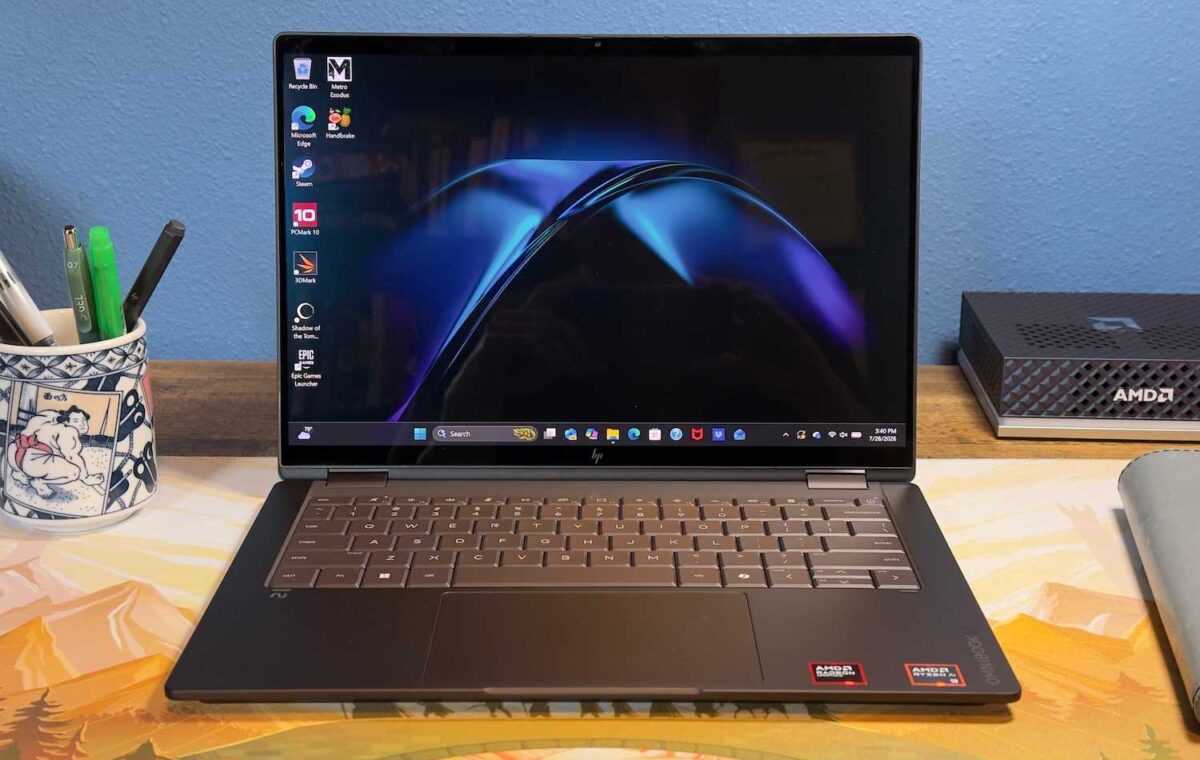
The HP OmniBook X Flip 14 isn’t the most portable or powerful 14-inch 2-in-1, but it provides a luxurious experience and lots of connectivity.
This value will show the geolocated pricing text for product undefined
There was once a time, just after the reveal of the iPad, when every laptop maker seemed a bit ashamed to be selling laptops instead of tablets. That time has long passed, and the OmniBook X Flip 14 is the evidence. Though technically a 2-in-1, it focuses so much on the laptop experience that it’s easy to forget the tablet mode even exists. This decision ultimately works to the Flip’s advantage.
The HP OmniBook X Flip 14 2-in-1 is available in a variety of configurations that stretch from entry-level models with AMD Ryzen AI 5 and 16GB of memory to high-end configurations with AMD Ryzen AI 9 and 32GB of memory. The model I reviewed was a high-end configuration with almost every option, though it did lack an optional upgrade to a 2880×1800 OLED display.
While an entry-level model has an MSRP of $1,299.99, the model I reviewed was quite a bit more expensive at $2,529.99. With that said, sale pricing is frequent and can offer significant discounts. The model I reviewed is currently available on sale at $2,279.99 and entry-level configurations can dip below $1,000.
The most notable aspect of the HP OmniBook X Flip 14 I reviewed was obvious from the moment I took it out of the box. It’s brown—or, to be more specific, “Deep Espresso.” I must say, I quite like it. This sort of deep chocolate-coffee hue is uncommon among laptops from any manufacturer. It helps the laptop look unique while remaining professional. HP also provides an “Atmospheric Blue” colorway which, from photos, also looks attractive but is more conventional.
Aside from the color, the OmniBook X Flip 14 is a simple but attractive laptop. The exterior is made of aluminum and feels sturdy, yet the laptop is still reasonably light at just 3.09 pounds. I saw little flex when opening the laptop or picking it up from one corner. The hinge is nicely tuned, too. The laptop can be opened with a single finger, yet it remains firmly closed in a bag.
The HP OmniBook X Flip 14 is an attractive, luxurious 2-in-1 that is mostly meant for laptop use.
The OmniBook X Flip 14 is a 2-in-1 with a 360-degree hinge. That means the display folds all the way back, effectively turning the laptop into a tablet. The Flip 14 is both too large and too heavy to be used exactly like a dedicated tablet, but the versatility is helpful and makes it useful in a wide variety of situations. HP also offers an active stylus, though it’s optional and wasn’t included with my review sample.
Importantly, the OmniBook X Flip 14 offers its 2-in-1 versatility with absolutely zero downside. It otherwise looks and feels exactly like a conventional laptop. It doesn’t even try to squeeze power or volume buttons on the sides, a move that some 2-in-1s make in an effort to enhance the tablet mode, but which can cause accidental activation when plugging in peripherals.
I think the focus on laptop mode is the right call. The tablet mode is a nice bonus, but not how the OmniBook X Flip 14 is meant to be used most of the time.
A spacious keyboard can be found in the HP OmniBook X Flip 14’s interior. Most keys are large. However, a few keys, like the left-side Control key, the Alt keys, and the Tab key, are slightly smaller than usual. On the other hand, the primary alphanumeric keys are large, and I like the beveled keycap design.
Key feel is good, as keys provide significant travel and bottom out with a firm action. There’s a slightly hollow sound to the keyboard which I don’t love, but that’s a minor point. The keyboard also benefits from significant palm rest space that will comfortably accommodate most users.
Below the keyboard is a typical touchpad that measures about five inches wide and a little over three inches deep. This is a typical size for a 14-inch laptop touchpad and generally offers enough room for multi-touch gestures, though swiping can feel tight at times. The touchpad doesn’t have a glass surface or other premium texture and also lacks haptics, though it does offer a shallow physical click action.
HP offers three display options for the OmniBook X Flip 14: a 1920×1200 IPS-LCD, a 1920×1200 60Hz OLED, and a 2880×1800 120Hz OLED. All three are touchscreens. My review unit had the middle option, a 1920×1200 60Hz OLED touchscreen.